
remove.bg closes on December 1, 2026. Keep removing backgrounds here
Upload an image, review the cutout and download. Up to 5 free previews per day, subject to the service's daily capacity. No watermark.
Quitar Fondo is an independent service, unaffiliated with remove.bg, Canva or Leonardo.Ai.
What remove.bg has announced
According to its official notice, these are the main changes:
The website closes
The standalone site stops being available on December 1, 2026 at 9:00 (CET). The tool moves to Canva.
Credits and subscriptions
Unused pay-as-you-go credits expire that day. Subscriptions end automatically; annual plans get a prorated refund.
API
The self-serve API stops accepting requests. remove.bg points to Leonardo.Ai as the alternative. Enterprise contracts continue as normal.
Plugins and integrations
The Photoshop plugin and the other remove.bg integrations stop being available.
Sources checked October 11, 2026.
What to do before December 1
- Use any pay-as-you-go credits you have left.
- Download your invoices and usage report from the Account page. They won't be available afterwards.
- Save the cutouts and original images you still need.
- If your store, plugin or script calls the API, plan the switch early.
Choose what fits your workflow
| Need | Quitar Fondo | remove.bg / Canva / Leonardo.Ai |
|---|---|---|
| Web tool | Remove and download here, with Spanish and English interfaces. | The remove.bg web tool is moving to Canva. |
| API integrations | This tool is designed for browser use. We do not offer a public replacement API. | The remove.bg API is moving to Leonardo.Ai and requires new credentials. |
| Usage and pricing | Free previews every day; full size uses points from a pack or subscription.See pricing | Terms depend on the product and plan. Check current official pricing.remove.bg · See pricing |
| Free use | 5 previews per day without an account (up to 0.25 megapixels), subject to site capacity. No watermark. | Free website downloads up to 0.25 megapixels for personal use, according to its help page. Check its current plans for higher-resolution downloads and usage rights.Source: official free-use help |
| Review and delivery | Review up to 20 images per batch, zoom in to repair edges, and export PNG, JPG or ZIP. | The website offers editing and downloads; terms and tools may change during the migration. |
Quitar Fondo input
JPG, PNG and WebP: up to 10 MB and 25 MP for processing. In the single-image editor you can prepare HEIC/HEIF or a smaller copy, review it and then upload it. Preparation is limited to 30 MB and 50 MP.
Inspect the actual cutout
Synthetic inputs and actual outputs, including product photos and difficult cases. Change the background and zoom in to inspect details.
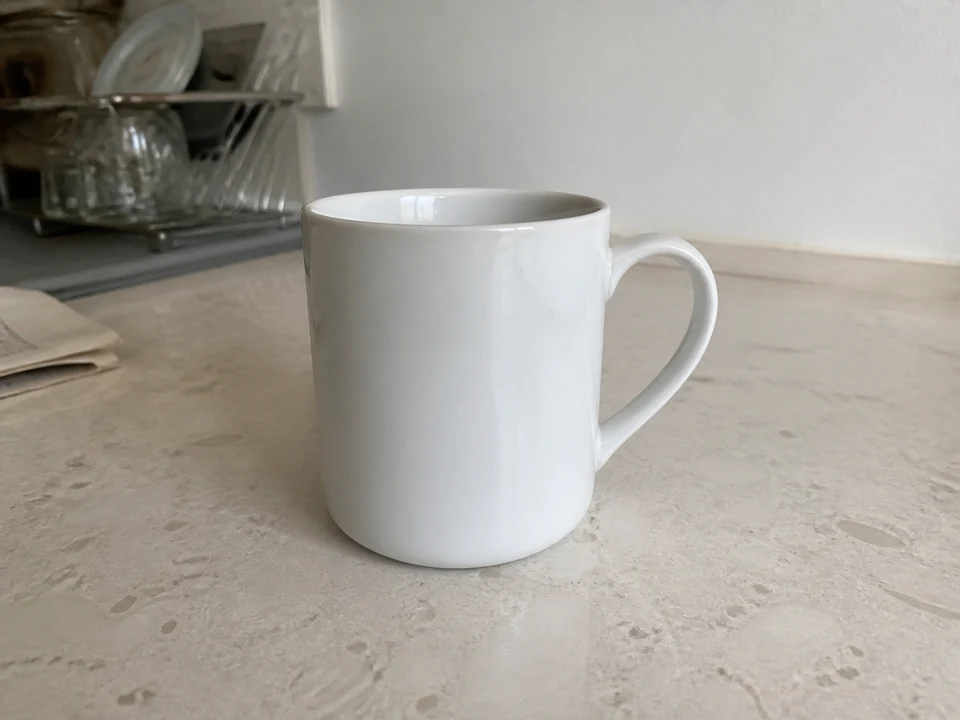
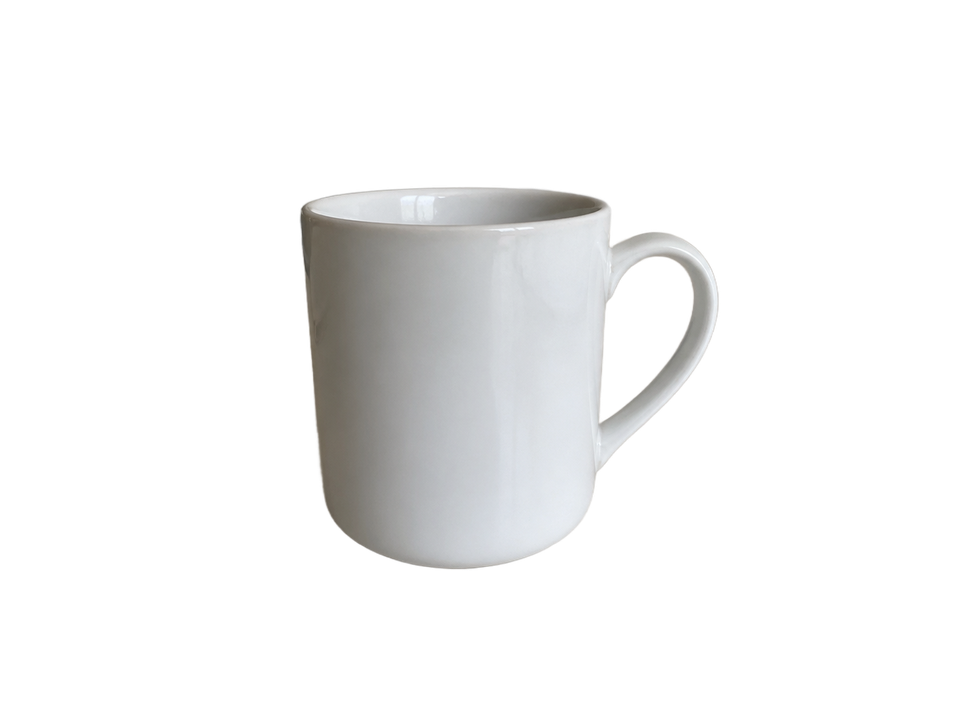
Check the white rim and inside the handle against both backgrounds.
AI-generated input · actual model output · no manual retouching
Tested August 30, 2026 with the standard 851 Labs model. These examples do not represent every user photo.
From cutout to your next listing
For a small product batch: upload, open each thumbnail to inspect edges, apply any repairs, mark checked, and exclude unusable images. Download the current batch as PNG/JPG in a ZIP, or generate transparent, white marketplace and social templates from the same cutouts without extra points.
Frequently asked questions
Can I move my remove.bg credits to Quitar Fondo?
No. They are separate services and we have no access to your remove.bg account. Use them there before December 1.
Is this a free remove.bg alternative without signup?
You can get free previews without an account, within the daily limit and available capacity. Full size, batches and points use an account. We do not add watermarks.
Which files can I use?
JPEG, PNG and WebP, up to 10 MB per file and 25 megapixels. Download transparent PNG or JPG with a background. Batches support up to 20 images and 100 MB total.
Are the results the same as remove.bg?
We do not promise identical results. We show actual inputs and outputs from our model. Transparent glass and some hair may need further work; review your output before publishing.
Are photos processed only on my device?
No. When processing starts, the image is sent to the configured AI provider. Subsequent resizing and exporting happen in your browser. See the privacy policy for details.